


A weighted average gives each value a different level of importance. A plain average treats every number equally, but in real life some numbers count more: a final exam is worth more than a homework assignment, and a large purchase affects your average cost more than a small one. The calculation is easy once you know the pattern, multiply each value by its weight, add the results and divide by the total weight. This guide explains the formula, shows worked examples for grades and for prices, compares weighted and simple averages, and gives the Excel formulas that do the work in one step.
Updated November 2026
In this guide
- Weighted average vs simple average
- The weighted average formula
- Step-by-step method
- Worked example 1: a course grade
- Worked example 2: average purchase price
- Worked example 3: weights that do not add to 100
- Weighted average in Excel and Google Sheets
- Weighted average when some scores are missing
- Worked example 4: a blended interest rate
- Weighted average in a real spreadsheet layout
- When to use a weighted average and when not to
- Common mistakes
Weighted average vs simple average
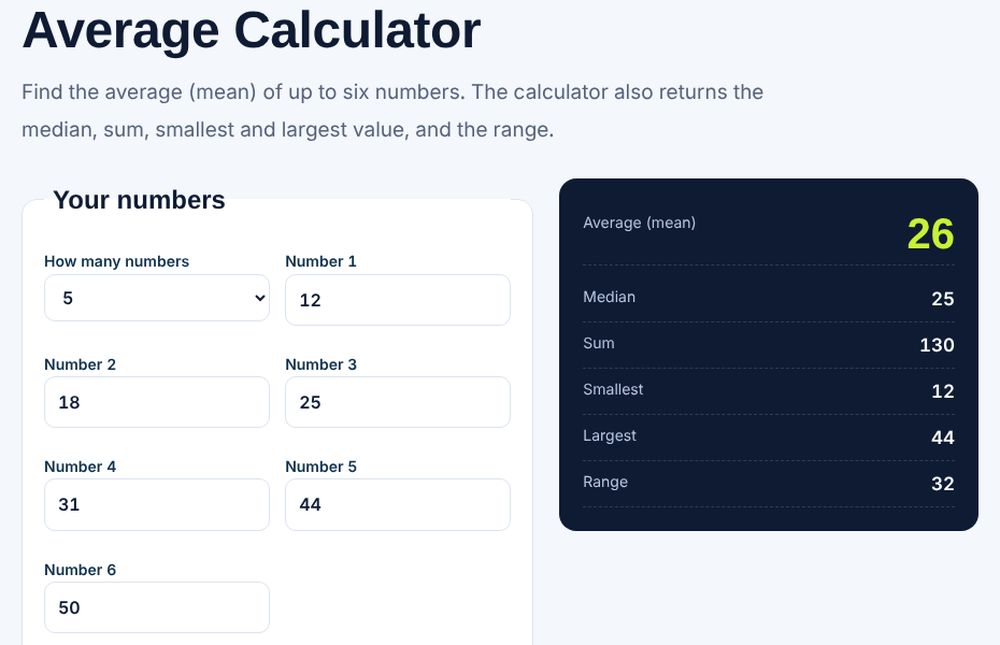
A simple average adds the values and divides by how many there are. It is correct only when every value deserves the same importance. A weighted average multiplies each value by a weight that reflects its importance, so the result moves toward the values that matter most. Teachers use it for course grades, investors use it for average cost per share, manufacturers use it for blended costs and survey researchers use it to correct for groups that are over or under represented. For a plain average, see our average calculator.
The weighted average formula
The formula is: weighted average equals the sum of (value times weight) divided by the sum of the weights. If the weights are percentages that add to 100, the denominator is 100, so you can divide by 100 or work with decimals (0.20 instead of 20 percent). If the weights are counts, such as quantities purchased, the denominator is the total quantity. Either way, the divisor is always the sum of the weights, so the formula still works when the weights do not add up to a round number.
Step-by-step method
- List every value and its weight.
- Multiply each value by its weight.
- Add all of those products together.
- Add all the weights together.
- Divide the total of the products by the total of the weights.
Always check that your weights match the situation. If a syllabus says homework is 20 percent, quizzes 15 percent, the midterm 30 percent and the final 35 percent, they add to 100, which is a good sign.
Worked example 1: a course grade
Suppose your scores and weights are as follows.
| Component | Score | Weight | Score times weight |
|---|---|---|---|
| Homework | 95 | 20% | 19.00 |
| Quizzes | 80 | 15% | 12.00 |
| Midterm | 70 | 30% | 21.00 |
| Final exam | 88 | 35% | 30.80 |
| Total | 100% | 82.80 |
The weighted average is 82.80 divided by 100, which is 82.8 percent. A simple average of the four scores would be (95 + 80 + 70 + 88) divided by 4, which is 83.25. The two numbers differ because the midterm, your lowest score, carries a bigger weight than the quizzes. Use our final grade calculator to work out what you need on the last exam.
Worked example 2: average purchase price
An investor or a business buys in several lots: 100 units at 5 dollars, 50 units at 8 dollars and 50 units at 6 dollars. The weights are the quantities. Total cost is 100 times 5 plus 50 times 8 plus 50 times 6, which is 500 plus 400 plus 300, or 1,200 dollars. Total units are 200. The weighted average price is 1,200 divided by 200, which is 6.00 dollars per unit. The simple average of the three prices is (5 + 8 + 6) divided by 3, which is 6.33, and would overstate the cost because the cheapest lot was the largest.
Worked example 3: weights that do not add to 100
Weights do not have to be percentages. A product review site rates a laptop on battery life (score 8, importance 3), screen (score 9, importance 2) and price (score 6, importance 5). The products are 24, 18 and 30, which total 72. The sum of the weights is 3 plus 2 plus 5, which is 10. The weighted score is 72 divided by 10, which is 7.2. A buyer who cares mostly about price will see the score pulled toward 6, which is exactly the intent.
Weighted average in Excel and Google Sheets
Put values in B2:B5 and weights in C2:C5. The weighted average formula is =SUMPRODUCT(B2:B5,C2:C5)/SUM(C2:C5). SUMPRODUCT multiplies each pair of cells and adds the results, and SUM adds the weights. This works whether the weights are percentages or counts. If you only need a plain average, use the AVERAGE function. To double-check the result, add a helper column D with =B2*C2, sum it and divide by the sum of weights, which should give the same answer. For grade books, add a check cell =SUM(C2:C5) to confirm the weights equal 100 percent. If you want to look up weights from a table, our guide to fixing VLOOKUP problems helps when lookups fail.
Weighted average when some scores are missing
Sometimes only part of the grades are in. To find your current standing, divide by the weights completed, not by 100. Suppose homework (20 percent) is 95 and the midterm (30 percent) is 70. Completed weight is 50. The weighted points are 19 plus 21, which is 40. The current average is 40 divided by 50, which is 80 percent. This is the right number for your grade so far. It is different from the 40 percent of the course you have actually earned, which is simply 40 points out of 100 possible.
Worked example 4: a blended interest rate
A borrower has three loans: 10,000 dollars at 4 percent, 5,000 dollars at 6 percent and 15,000 dollars at 5 percent. The balances are the weights. Interest per year is 10,000 times 0.04 plus 5,000 times 0.06 plus 15,000 times 0.05, which is 400 plus 300 plus 750, or 1,450 dollars. Total balance is 30,000. The weighted average rate is 1,450 divided by 30,000, which is 0.04833, or 4.83 percent. The simple average of the three rates would be 5.0 percent, which is higher than the true blended rate because the 6 percent loan has the smallest balance and so counts for less than the other two. Lenders and accountants use this blended rate when they compare refinancing offers.
Weighted average in a real spreadsheet layout
A clean layout makes the sheet easy to audit. Put headings in row 1: Item, Value, Weight and Weighted value. Fill the rows below with your data, then add a totals row that sums the Weight and Weighted value columns. The weighted average cell divides the weighted total by the weight total. Add a second cell that checks whether the weights add to 100 percent, with a message such as “OK” or “Check weights” using an IF statement. Format weights as percentages so 0.35 shows as 35 percent, and lock the formula cells so nobody overwrites them by accident.
For grade tracking, add a column for the status of each item, such as Done or Pending, and calculate two numbers: the average of the completed items and the points still available. That lets a student see both the current standing and the best and worst outcomes. Use the best case by assuming 100 on the remaining items and the worst case by assuming zero. If the worst case is already above your target, you have secured it.
When to use a weighted average and when not to
Use a weighted average when values differ in importance, size or reliability, such as grades, costs by quantity, portfolio returns by holding size or survey groups. Avoid it when you have no sound basis for the weights, because arbitrary weights can make any result look correct. Document where your weights came from, for example the syllabus, the invoice quantities or the sample sizes. When the weights are equal, the weighted average and the simple average are identical, which is a useful sanity check on your formula.
Common mistakes
The first mistake is using a simple average when the weights differ. The second is dividing by the number of items instead of the sum of the weights. The third is entering weights as 20 in some rows and 0.20 in others, which breaks the formula. The fourth is forgetting that weights should reflect the same base: if one weight is a percentage of the course and another a number of units, convert them first. Finally, check that the weighted average always falls between your lowest and highest value. If it does not, a weight or a formula range is wrong.
Frequently asked questions
What is the formula for a weighted average?
Multiply each value by its weight, add the results, and divide by the sum of the weights.
Do weights have to add up to 100 percent?
No. Dividing by the sum of the weights makes the formula work with any weights, though percentages that add to 100 are the easiest to read.
What is the Excel formula for weighted average?
Use =SUMPRODUCT(values,weights)/SUM(weights).
How is a weighted average different from a simple average?
A simple average treats every value equally. A weighted average gives more importance to values with larger weights.
Can a weighted average be higher than all values?
No. It always falls between the smallest and largest value.
Related guides and free tools
- How to Calculate a Moving Average in Excel
- How to Calculate Weighted GPA
- Average calculator
- Final grade calculator
- GPA calculator
- How to calculate GPA
- All free calculators
- All free calculators and templates
Sources: AVERAGE function, Microsoft Support