


Percent difference tells you how far apart two numbers are, relative to their average size, without treating either number as the starting point. It is used when you compare two measurements, two prices from different stores, or two results from different methods, where neither value is the official reference. People often mix it up with percent change and percent error, which use a different base and give different answers. This guide gives the formula, walks through several worked examples, shows when to use each of the three percentage measures, explains the Excel formula, and lists the common mistakes so your answers match what a teacher, client or report expects.
Updated November 2026
In this guide
- The percent difference formula
- Steps to calculate percent difference
- Worked example 1: two prices
- Worked example 2: lab measurements
- Worked example 3: sales figures
- Percent difference vs percent change vs percent error
- The Excel formula
- Special cases
- Practice problems
- Worked example 4: comparing two exam methods
- How to explain the result in a sentence
- Percent difference for more than two numbers
- Where percent difference is used
- Common mistakes
The percent difference formula
The formula is: percent difference equals the absolute value of the difference between the two numbers, divided by the average of the two numbers, multiplied by 100. In symbols, that is |A − B| ÷ ((A + B) ÷ 2) × 100. The absolute value makes the result positive, because percent difference has no direction. Using the average as the base is what makes the measure symmetric, so swapping A and B gives the same answer. This is the key feature that separates it from percent change, where the order matters.
Steps to calculate percent difference
Follow four steps. First, subtract one number from the other and take the absolute value. Second, add the two numbers and divide by 2 to get the average. Third, divide the difference by the average. Fourth, multiply by 100 and add the percent sign. Keep the full decimal until the end and round only the final answer, usually to one or two decimals.
Worked example 1: two prices
A phone case costs 18 dollars at one store and 24 dollars at another. The difference is 6. The average is (18 + 24) ÷ 2 = 21. Divide 6 by 21 to get 0.2857, and multiply by 100 to get 28.57 percent. So the two prices differ by about 28.6 percent. If you swap the stores, the answer is the same, which is what you want when neither price is the baseline.
Worked example 2: lab measurements
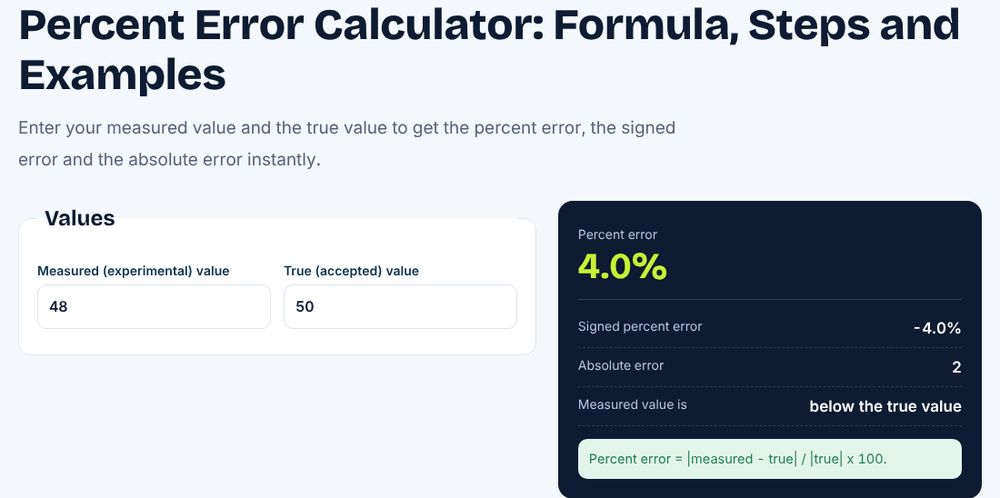
Two students measure the length of a table and record 150 cm and 146 cm. The difference is 4 cm. The average is 148 cm. Divide 4 by 148 to get 0.02703, which is 2.70 percent. A difference of under 3 percent is usually acceptable in a school experiment, so the measurements agree well. When one value is an accepted true value, such as 9.8 for gravity, use percent error instead, which uses the true value as the base. Our percent error calculator and guide to calculating percent error cover that case.
Worked example 3: sales figures
A shop sells 1,200 units in one region and 800 in another. The difference is 400. The average is 1,000. Divide 400 by 1,000 to get 0.4, or 40 percent. The regions differ by 40 percent. Notice that 1,200 is 50 percent more than 800, but 800 is 33.3 percent less than 1,200, so percent change gives two different numbers depending on direction. Percent difference gives one, 40 percent, because it uses the average as the base.
Percent difference vs percent change vs percent error
These three measures answer different questions. Use percent difference when two values are equal in standing and you want one symmetric figure. Use percent change when one value is the old value and the other is the new one, such as a price rising from 50 to 60. Use percent error when you compare a measured value with a known true value. The table shows the base used by each one.
| Measure | Base | Direction | Typical use |
|---|---|---|---|
| Percent difference | Average of both | None (always positive) | Comparing two equal values |
| Percent change | Old value | Increase or decrease | Growth, price changes |
| Percent error | True value | Absolute | Lab results vs accepted value |
See our guide to calculating percent change for the second case.
The Excel formula
In Excel, with the two numbers in A2 and B2, use =ABS(A2-B2)/AVERAGE(A2,B2) and format the cell as Percentage. For 18 and 24, the result is 28.57 percent. To avoid a divide-by-zero error when both numbers are zero, wrap the formula with an IF function: =IF(AVERAGE(A2,B2)=0,0,ABS(A2-B2)/AVERAGE(A2,B2)). Fill the formula down a column to compare many pairs at once, such as supplier quotes or two years of results by product. Our percentage increase in Excel guide covers the one-directional version.
Special cases
If one of the numbers is zero, the percent difference is always 200 percent, because the difference equals the sum and the average is half the sum. For example, comparing 0 and 10 gives 10 divided by 5, which is 200 percent. This is the maximum value of percent difference for positive numbers. If the two numbers are equal, the result is 0 percent. If the numbers have opposite signs, the average is smaller than the difference, so results above 200 percent are possible, and many teachers prefer that you avoid the formula in that case and explain the change in words instead.
Practice problems
Try these. Problem 1: find the percent difference between 40 and 60. The difference is 20, the average is 50, so the answer is 40 percent. Problem 2: compare 9.5 and 10.5. The difference is 1, the average is 10, so the answer is 10 percent. Problem 3: compare 200 and 250. The difference is 50, the average is 225, so the answer is 22.2 percent. Problem 4: compare 3 and 3. The answer is 0 percent. Problem 5: compare 0 and 8. The difference is 8, the average is 4, so the answer is 200 percent. Check each one by swapping the numbers to confirm that you get the same result.
Worked example 4: comparing two exam methods
A school tests two teaching methods. Class A averages 72 points and Class B averages 81 points. The difference is 9 points. The average of the two is (72 + 81) ÷ 2 = 76.5. Divide 9 by 76.5 to get 0.1176, which is 11.76 percent. The two class averages differ by about 11.8 percent. Because neither class is the baseline, percent difference is the fair measure. If Class A were last year’s result and Class B this year’s, you would use percent change instead: 9 divided by 72 is 12.5 percent. The two answers, 11.8 and 12.5 percent, are close here but they are not the same, and the gap grows as the numbers move further apart.
How to explain the result in a sentence
A number alone is not a conclusion, so write one sentence that gives context. For the phone cases you could say that the two prices differ by 28.6 percent, with the lower price being 18 dollars and the higher 24 dollars. For the lab measurements you could say that the two readings agree to within 2.7 percent, which is within the allowed tolerance of 5 percent. State the tolerance when you have one, because the same difference can be fine in one field and unacceptable in another. A 2 percent difference in a grocery price is trivial, while a 2 percent difference in the dose of a drug is serious. In a spreadsheet, add a column that flags the pairs above your limit with =IF(C2>0.05,"Check","OK"), so a long list of comparisons can be reviewed quickly.
Percent difference for more than two numbers
The formula is built for exactly two values. For three or more values, people usually report the range as a percentage of the mean, or they compute the standard deviation as a percentage of the mean, which is called the coefficient of variation. You can also compare each value with the group average and report each percent difference separately. In Excel, with values in A2:A6, use =ABS(A2-AVERAGE($A$2:$A$6))/AVERAGE($A$2:$A$6) and fill down to see how far each value sits from the group average. For the spread itself, see our guide to calculating variance and the standard deviation calculator.
Where percent difference is used
Scientists use it to compare repeated measurements and decide whether two methods agree. Shoppers use it to compare two quotes when neither is the list price. Analysts use it to compare two regions, two teams or two time periods that are not in a before-and-after order. In each case, the symmetric result removes the argument about which number should be the base. When you write a report, state the formula you used, because some fields use slightly different definitions, and always show the two original numbers next to the percentage so the reader can check the result.
Common mistakes
The most common mistake is dividing by one of the numbers instead of by the average, which gives percent change. Another is forgetting the absolute value, which leaves a negative answer. A third is to use percent difference when one value is a true value, where percent error is the right measure. A fourth is to forget to multiply by 100, leaving a decimal. Finally, avoid rounding the average before dividing, because it can shift the answer in the second decimal place.
Frequently asked questions
What is the formula for percent difference?
Percent difference equals the absolute difference of the two numbers divided by their average, times 100.
Is percent difference the same as percent change?
No. Percent change uses the old value as the base and has a direction. Percent difference uses the average and has none.
Can percent difference be more than 100 percent?
Yes. For example, comparing 1 and 10 gives about 163.6 percent, and comparing 0 and any positive number gives 200 percent.
How do I calculate percent difference in Excel?
Use =ABS(A2-B2)/AVERAGE(A2,B2) and format the cell as a percentage.
When should I use percent error instead?
Use percent error when one of the values is an accepted true value.
Related guides and free tools
- How to Generate Random Numbers in Excel
- Percent error calculator
- How to calculate percent change
- How to calculate percent error
- Rate of change calculator
- All free calculators
- All free calculators and templates
Sources: IF function, Microsoft Support