

Updated October 2026 · 6 minute read
Every founder says there is no time. The audit usually disagrees: the time exists, it is just being spent in twenty minute pieces on work that repeats. This guide runs a simple two week time audit, then applies three levers, eliminate, automate, delegate, in the order that wins the hours back.
- Log everything for 2 weeks in four columns: task, minutes, how often, and whether it needs your judgement. Memory lies. The log does not.
- Fix in this order: eliminate what should not exist, automate what repeats identically, delegate what is left. People are the last lever, not the first.
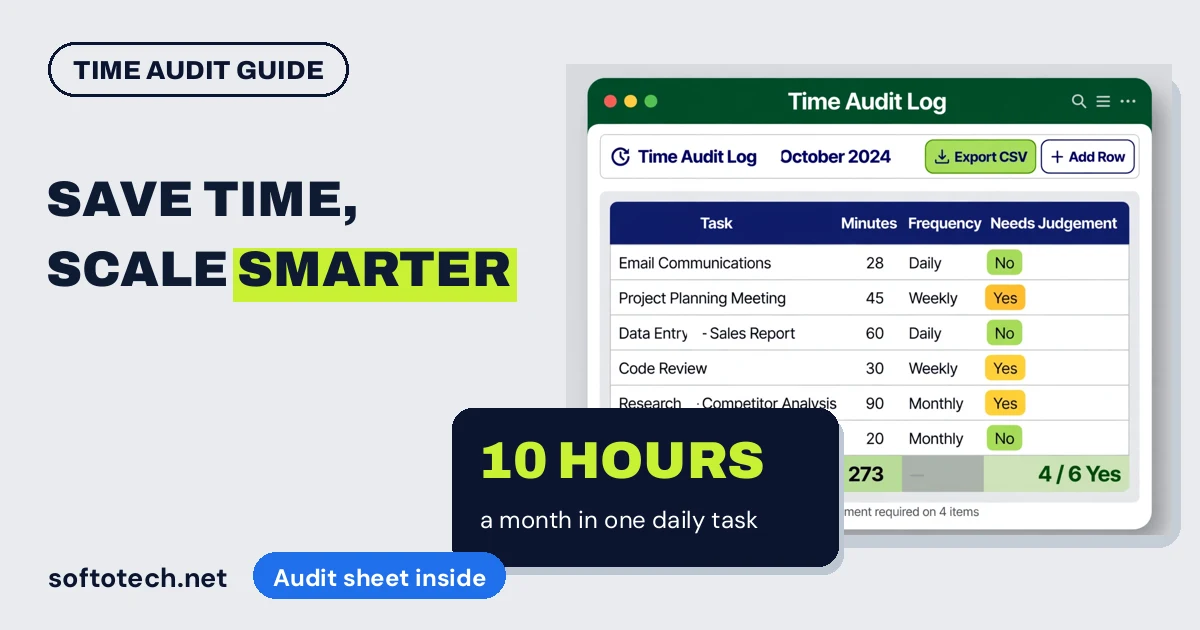
- The maths is unforgiving: a 30 minute task done every weekday is about 10 hours a month, over 120 hours a year.
- Start with one high frequency, low judgement task. A win in the first week funds the patience for the rest.
Why you cannot feel where the time goes
Big time losses are obvious. The real ones are not. They arrive as twenty minutes reformatting a report, fifteen minutes copying figures between two systems, ten minutes answering the same question by email for the fourth time this week. Each one feels too small to fix, so none of them get fixed, and together they quietly own a day or more of every week.
Guessing which tasks are the problem does not work either. Owners consistently overestimate the rare dramatic tasks and underestimate the daily small ones. That is why the first step is measurement, not solutions.
The 2 week time audit
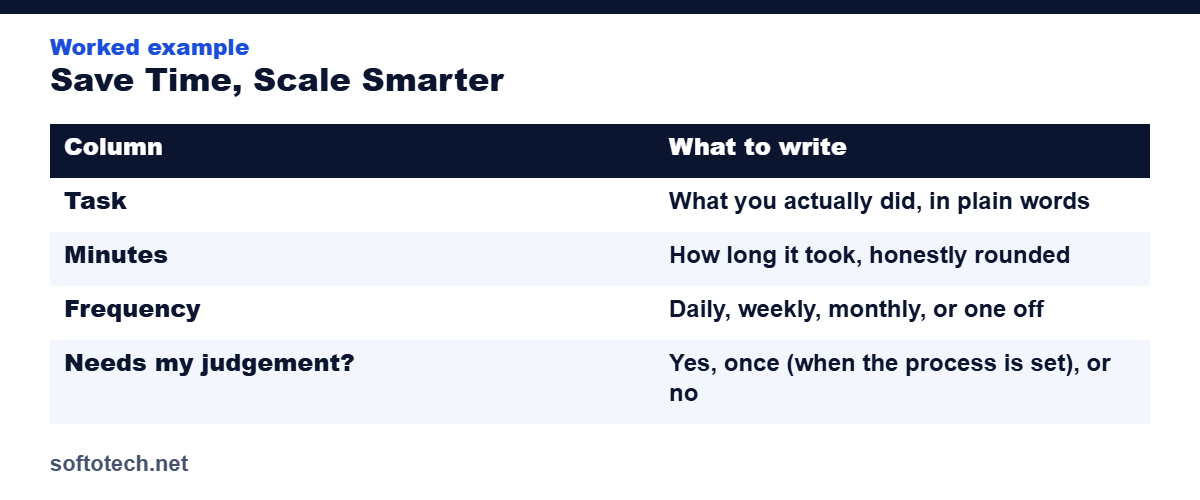
Keep one simple log, in a spreadsheet or a notebook, and fill it in as you work, not from memory at night. Four columns are enough:
| Column | What to write |
|---|---|
| Task | What you actually did, in plain words |
| Minutes | How long it took, honestly rounded |
| Frequency | Daily, weekly, monthly, or one off |
| Needs my judgement? | Yes, once (when the process is set), or no |
At the end, total the minutes per task and multiply by frequency. The ranking that comes out surprises almost every owner who runs it.
Reading the log: the red flags
Five patterns mark a task as a prime candidate for change:
- It happens daily, or close to it. Frequency turns small tasks into large ones.
- It takes real minutes but no judgement. High time, low thinking is the definition of a task in the wrong hands.
- The steps never change. Same input, same moves, same output, every time.
- It copies data between systems. A human acting as the bridge between two tools is a process asking to be fixed.
- It waits on other people. Chasing, reminding and re-sending is time spent on friction, not work.
Lever 1: Eliminate
The cheapest hour is the one that stops existing. Every audit finds some: the report nobody reads any more, the meeting that produces no decisions, the form that duplicates another form, the approval step added for a problem from three years ago. Ask of each task: if this stopped tomorrow, who would notice, and when? Tasks with no good answer end here, before any money is spent on them.
Lever 2: Automate
What survives elimination and repeats identically belongs to software. Templates for the emails and documents you rewrite weekly. Formulas and imports instead of copy and paste. Reports that build themselves from the data table, the approach in our guide to turning spreadsheets into strategy. Scheduled sends instead of remembered sends.
The test is simple: if the steps can be written as “when this happens, do that, then that”, a machine should be doing them. Automation does not sleep, resign or have a busy week.
Lever 3: Delegate
What is left after the first two levers needs a human eye but not yours. That is the pile support exists for: inbox and calendar, CRM upkeep, research, document work, the repeatable operations we broke down in our guide to handing over your operations. By this point the pile is small, well defined and easy to hand over with a one page process, because everything vague or pointless has already been removed from it.
Why the order matters
Most owners reach for people first, and pay for it twice. Delegate before you eliminate and you are paying someone to perform tasks that should not exist. Delegate before you automate and you are paying human rates for machine work. The order is not a detail. It is most of the saving.
How we help owners win hours back
This audit is where our automation and support work starts. We look at the log with the owner, kill what should not exist, build the automations in Excel, Google Sheets and the tools the business already uses, and take on the repeatable pile that remains as an ongoing support routine. It is the same discipline behind our weekly delivery work for VaynerMedia: a defined task, a written process, a schedule that holds.
Across more than ten years and 6,000 plus projects, the pattern has never changed: measure first, then fix in order.
Find the hours hiding in your week
Send us your two week log, or ask us to run the audit with you. We will show you which lever each task belongs to, and quote the build or the support as a fixed price.
Questions
How long should a time audit run?
Two full weeks. Shorter audits miss the weekly and monthly tasks, which are often the largest repeatable piles, and they flatter the daily routine by catching an unusually calm few days.
What should I do first with the results?
Eliminate. Any task whose output nobody uses should stop existing before you spend anything on automating or delegating it. It is the only lever that costs nothing.
Should I automate or delegate first?
Automate first when the steps never change, because software works at machine cost and never resigns. Delegate what needs a human eye but not your judgement, and keep everything else.
How much time can this realistically save?
It depends on your log, but the maths is simple: every daily 30 minute task you remove returns about 10 hours a month. Most owners who audit honestly find several such tasks.
Related guides
Sources
- TextExpander: How to automate repetitive tasks, a step by step process, accessed October 2026
- REtipster: The 15 minute time audit, finding every repeatable task, accessed October 2026
Tahir Abbas
Founder of Softotech Solutions. Tahir’s team builds Excel and AI automations and provides admin support to agencies and small businesses. The audit in this guide is the same first step his team runs before quoting an automation or support engagement.