

Updated October 2026 · 6 minute read
Engagement starts before the first paragraph. If a WordPress page loads slowly, jumps around while it loads, or fights the phone it is being read on, visitors leave before the content gets its chance. This guide covers the optimizations that actually move engagement, in the order to do them.
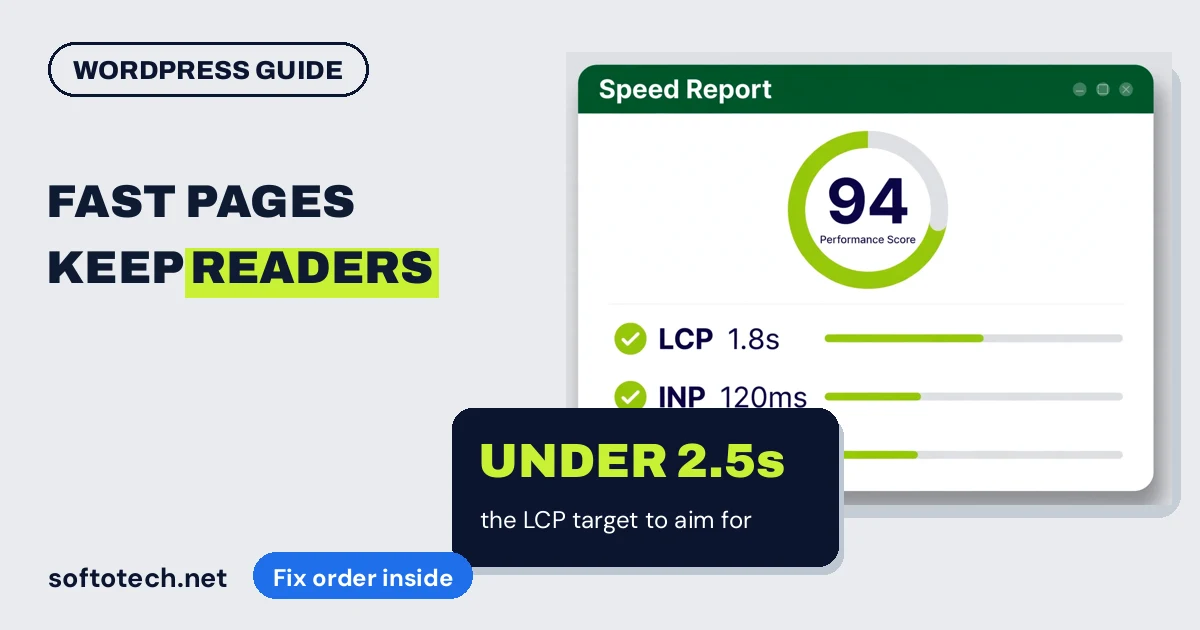
- Engagement is mostly physics. Pages that load fast, stay still and respond instantly keep readers. Google’s Core Web Vitals targets: LCP under 2.5 seconds, CLS under 0.1, INP under 200 milliseconds.
- The biggest wins, in order: caching on, images resized and converted to WebP, unused plugins removed, then mobile polish.
- Test on a real phone, not a desktop preview. Most visitors are on mobile, and mobile is where WordPress sites fail.
- Measure before and after in PageSpeed Insights. Without numbers, optimization is guessing.
Why speed is an engagement issue
A visitor arrives with a question and a few seconds of patience. Every second the page spends loading spends that patience. If the text then shifts mid-read because an image or an advert landed late, or the menu is too small to tap on a phone, the visitor does the rational thing and goes back to the search results. No headline, however good, gets read on a page that never settles.
This is why optimization is not a technical hobby. It is the difference between traffic that engages and traffic that evaporates, and it is measurable to the decimal.
The three numbers that matter
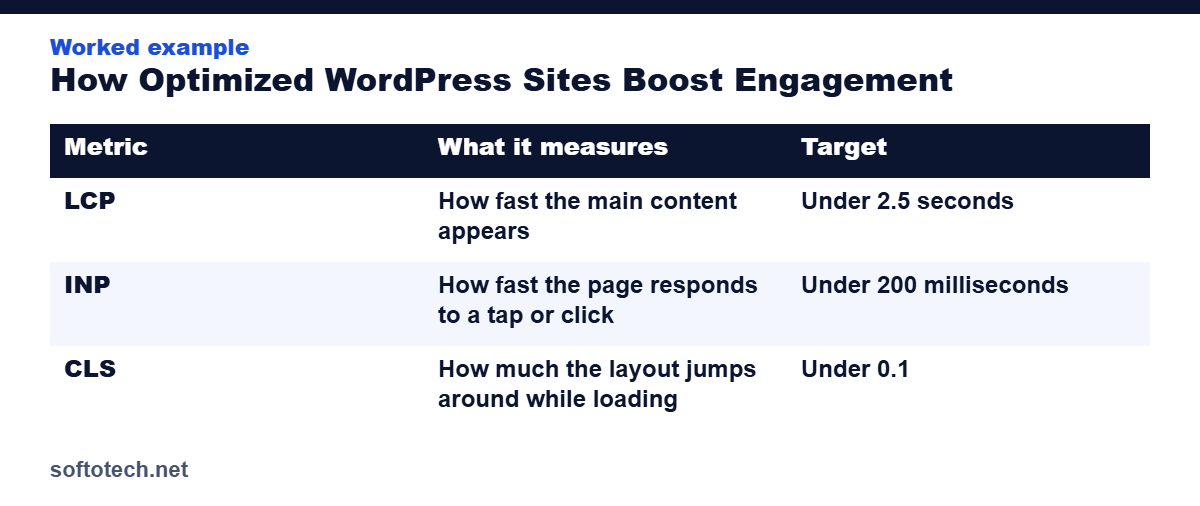
Google’s Core Web Vitals reduce the whole question to three measurements, taken from real visitors:
| Metric | What it measures | Target |
|---|---|---|
| LCP | How fast the main content appears | Under 2.5 seconds |
| INP | How fast the page responds to a tap or click | Under 200 milliseconds |
| CLS | How much the layout jumps around while loading | Under 0.1 |
Run your most visited pages through PageSpeed Insights and write the three numbers down. They are your before picture, and they tell you which fix comes first.
Fix 1: Caching and the hosting ceiling
Without caching, WordPress rebuilds every page from the database for every visitor. A page cache serves a ready made copy instead, and it is the single largest speed win on most sites. Turn it on before anything else.
Know the ceiling, though: slow hosting answers slowly no matter what sits on top of it. If the server itself takes seconds to respond, no plugin fixes that, and the honest move is better hosting. A CDN joins the picture when visitors are spread across countries, serving files from near the reader instead of across the world.
Fix 2: Images, the heaviest part of the page
On most small business sites, images are most of the page weight, and they are usually far larger than the space they fill. Four habits fix nearly all of it:
- Resize before upload. A photo displayed at 800 pixels wide should not be uploaded at 4,000.
- Convert to WebP. The same picture, a fraction of the weight, supported by every modern browser.
- Lazy load what sits below the fold. Images the visitor has not reached yet should not compete with the ones they are looking at.
- Set image dimensions. Width and height on every image stops the layout jumping as files land, which is your CLS score.
Fix 3: Audit plugins and scripts
Every active plugin adds code, database queries, or both, to every page it touches, including the pages it has no business on. Audit quarterly: deactivate what is unused, delete what is deactivated, and replace three overlapping tools with one where you can. Then defer the scripts that do not need to run before the page is readable: chat widgets, analytics extras and marketing pixels can all wait a moment without costing a single conversation.
Fix 4: Design for the phone first
Most of your visitors are holding a phone. A page that is fine on a desktop can still fail them with cramped menus, small text, tap targets squeezed together, and heavy images crawling down a mobile connection. Body text of at least 16 pixels, generous spacing around anything tappable, and menus a thumb can drive: these unglamorous details decide whether mobile visitors stay. Test the key pages on an actual phone. Browser previews forgive things real devices do not.
Fix 5: Give visitors a next step
Once the page is fast and steady, structure keeps people reading: headings that say what each section answers, short paragraphs, and internal links to the next genuinely useful page, placed where the question naturally arises. End key pages with one obvious call to action, not five competing ones. Engagement is a path, and the site has to build it.
How we optimize WordPress sites
Speed and structure work is built into our website development service, and this site runs the same discipline: WordPress, cached, images served in modern formats, and every page checked as a visitor on a phone, not just in the editor. When we take on an existing site, we start with the PageSpeed numbers, fix in the order above, and show the before and after side by side.
It is the unglamorous end of web development, and it is where most of the engagement is won or lost.
Get your WordPress site checked
Tell us the site and the pages that matter. We will measure them, fix the heaviest problems first, and report the numbers before and after.
Questions
How fast should a WordPress site load?
Aim for the main content visible in under 2.5 seconds on a mid range phone, which is Google’s LCP target. Faster is always better, but crossing under that line is where most of the engagement bleeding stops.
What slows a WordPress site down the most?
Oversized images, too many plugins, no page caching, and slow overloaded hosting, in roughly that order on most small business sites. PageSpeed Insights will show you your own order.
Do Core Web Vitals affect Google rankings?
Yes. Google uses them within its page experience signals, so the same fixes that keep visitors on the page also help the page get found in the first place.
Can I optimize without changing my theme?
Usually, yes. Caching, image work, plugin cleanup and script deferral deliver most of the gain on the theme you already have. A theme change is the last resort, not the first step.
Related guides
Sources
- WPDeveloper: How to reduce WordPress bounce rate, data backed tactics, accessed October 2026
- Kernshell: WordPress speed optimization, Core Web Vitals and best practices, accessed October 2026
Tahir Abbas
Founder of Softotech Solutions. Tahir’s team builds and optimizes WordPress, Shopify and GoHighLevel websites for agencies and small businesses. The fix order in this guide is the same one his team runs on client sites.