


Description
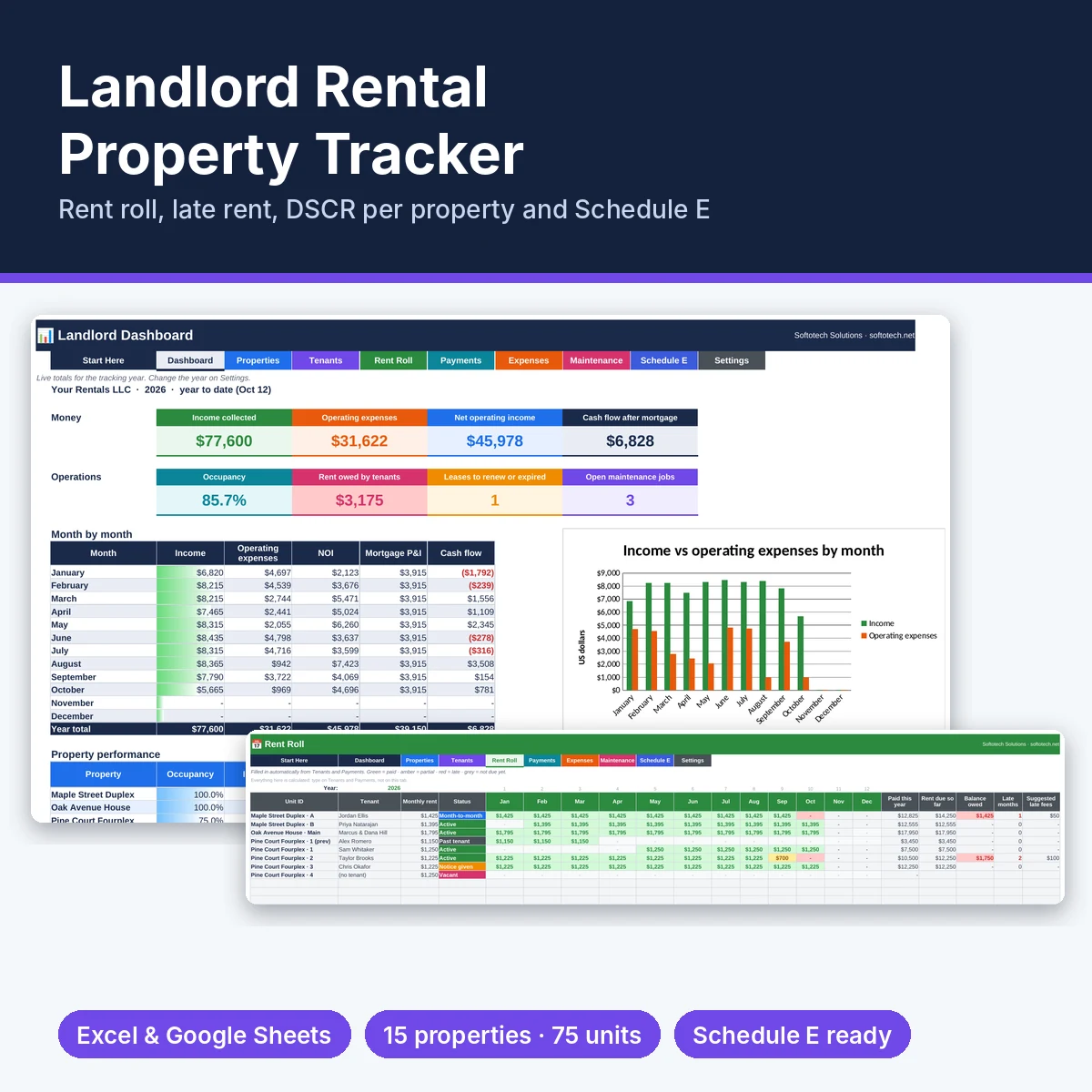
Landlord Rental Property Tracker for Excel and Google Sheets
See who has paid, what each property really earns after the mortgage, and your Schedule E totals at tax time. Log payments and expenses once; the rent roll, dashboard and tax summary fill themselves in.
What you get
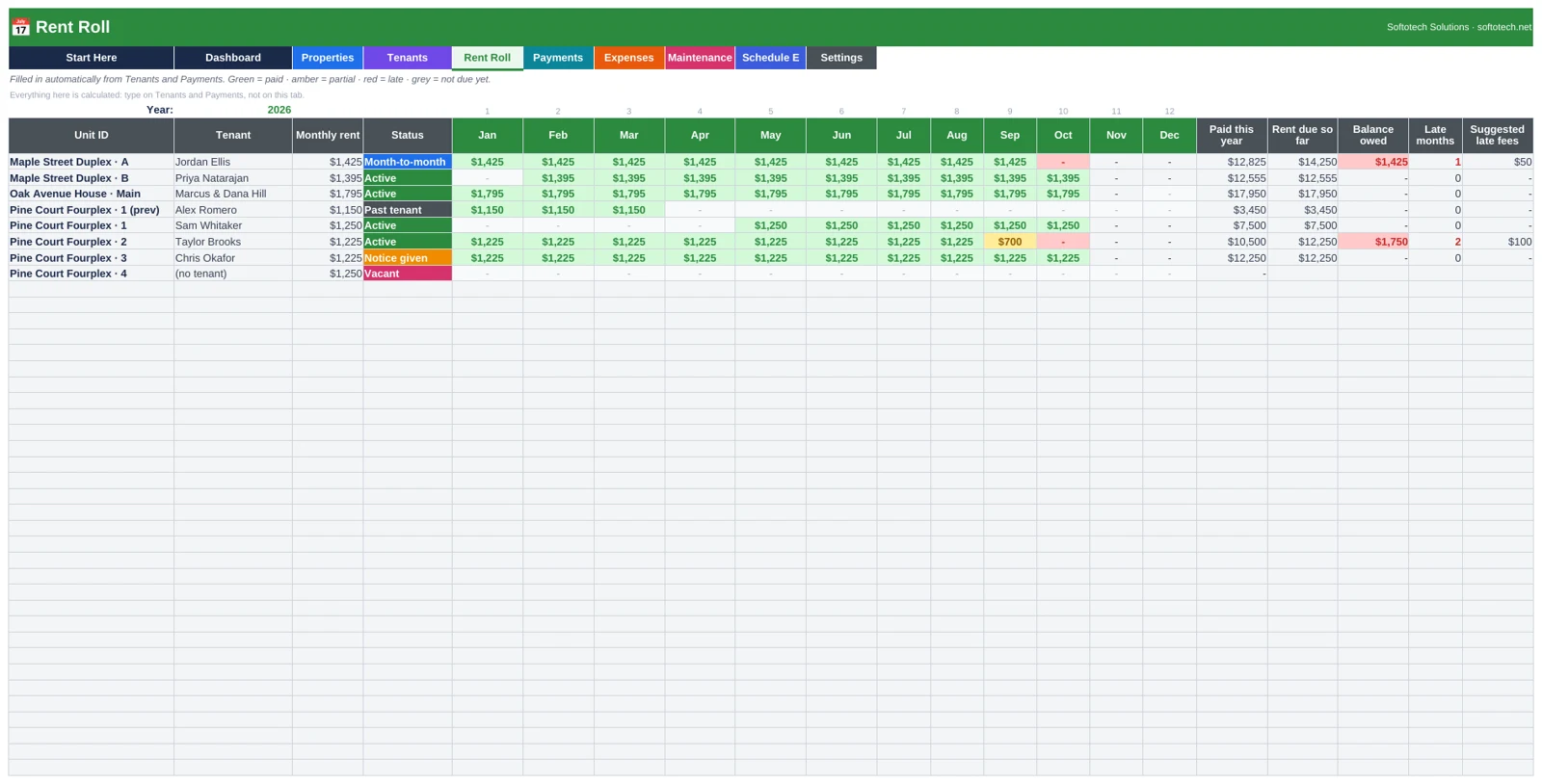
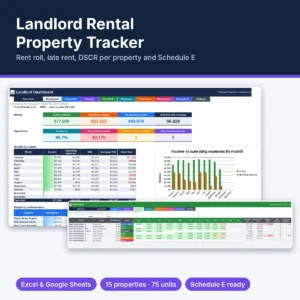
- Rent Roll: an automatic 12-month grid for every unit. Green = paid, amber = partial, red = late after your grace period. Balance owed, late months and suggested late fees per tenant.
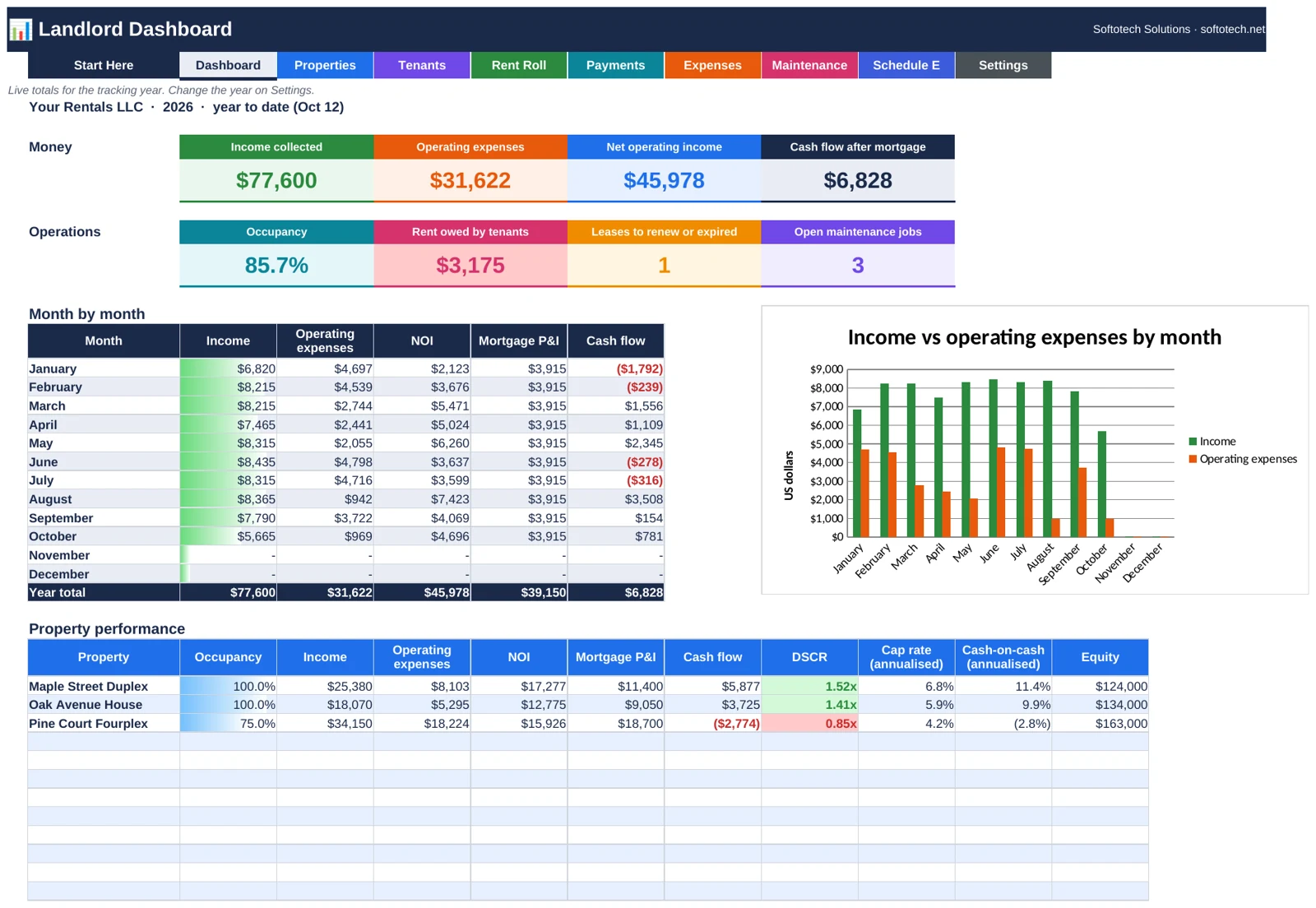
- Dashboard: income, operating expenses, NOI, cash flow after mortgage, occupancy, rent owed, leases to renew and open repairs, plus a month-by-month table and chart.
- Property performance: NOI, DSCR, cap rate and cash-on-cash return for each property, with DSCR flagged against your lender’s minimum.
- Tenants & leases: lease dates, rent, deposits and due day for up to 75 units, with “Renew soon” and “Expired” alerts.
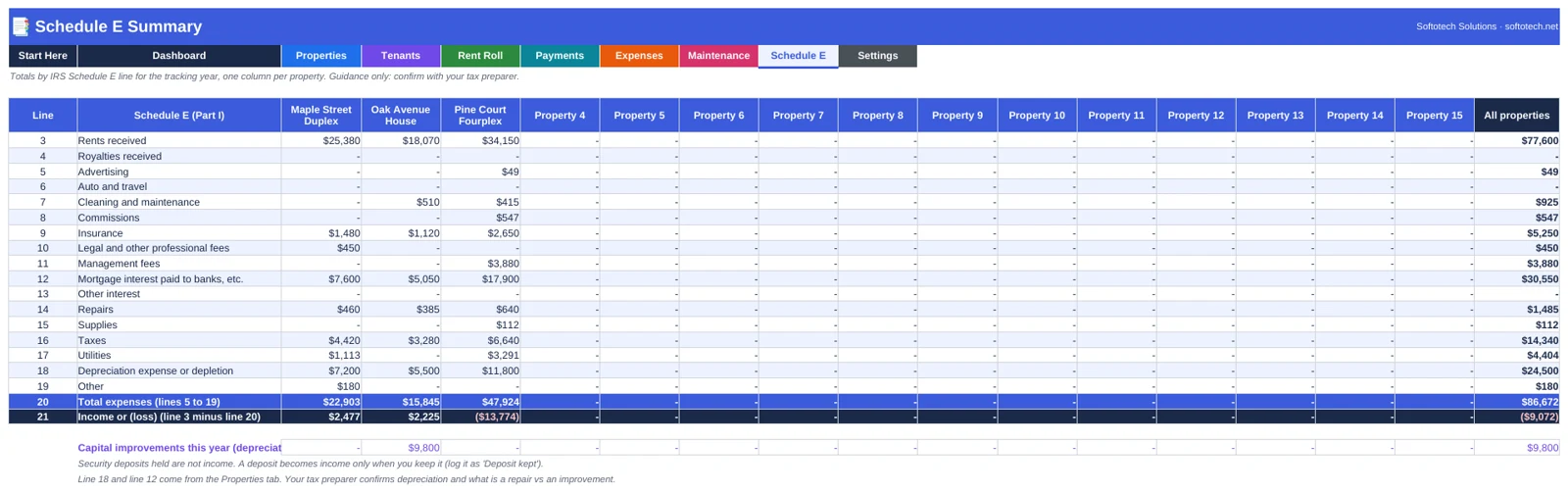
- Schedule E summary: year totals by IRS Schedule E line for each property, plus a separate line for capital improvements.
- Payments, Expenses and Maintenance logs with dropdowns, so payments and repairs always land on the right unit.
Details
- Up to 15 properties and 75 units, 1,000 payments and 1,000 expenses a year.
- Two files: one with example data so you can see it working, and a blank one to start fresh.
- Format: .xlsx for Microsoft Excel 2016+ and Excel 365. Opens in Google Sheets.
- No macros, no subscription, nothing locked. Instant download after payment.
- Every total is checked against independent calculations before release.
Schedule E lines, DSCR and cap rate are general guidance, not tax or lending advice. Confirm with your tax preparer or lender.
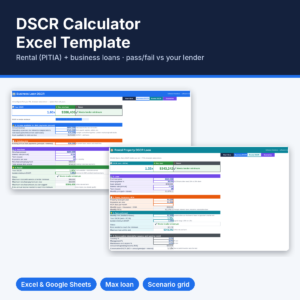
Buying a new rental? Check the numbers first with our free online DSCR calculator.
Customer Reviews
There are no reviews yet.